
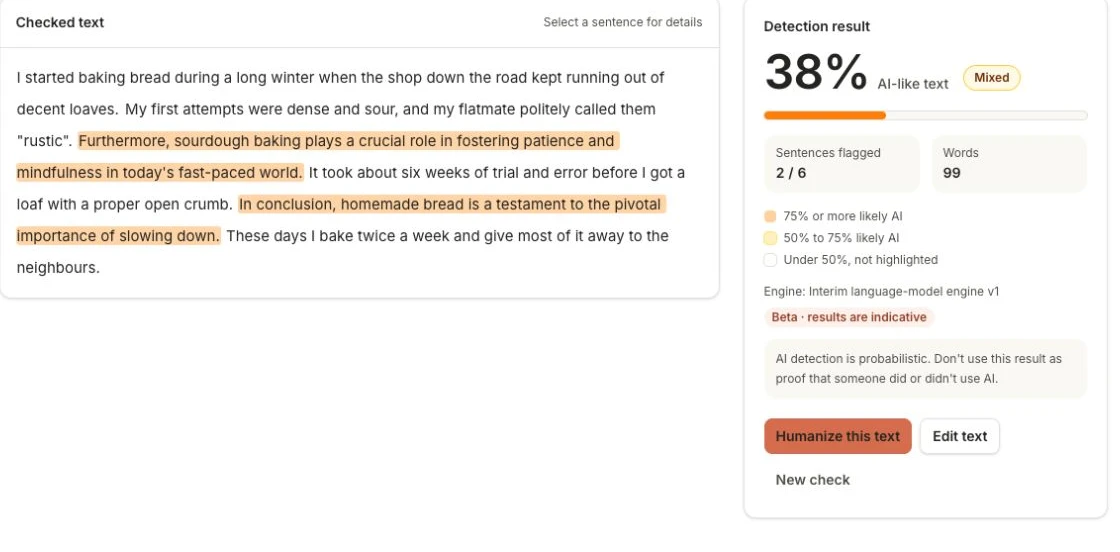
Know what sounds off. Exactly.
Find the sentences that read like AI-generated writing. Review the highlighted passages and their individual likelihoods before deciding what to change.
Trusted by 16M+ users, everything you need to polish your draft
Turn an AI-sounding draft into clear, natural writing, in the tone you choose.
Rewrite AI-sounding text so it reads naturally, in the tone you choose. Every rewrite is checked to keep your numbers, links and citations.
Compare across leading tools


Independent tools, different results. Brand names are for comparison only; no affiliation or endorsement.
Made for campus life

From first draft to final thought
Good writing starts with your ideas. Get a little help making them clearer.
Find the sentences that read like AI-generated writing. Review the highlighted passages and their individual likelihoods before deciding what to change.
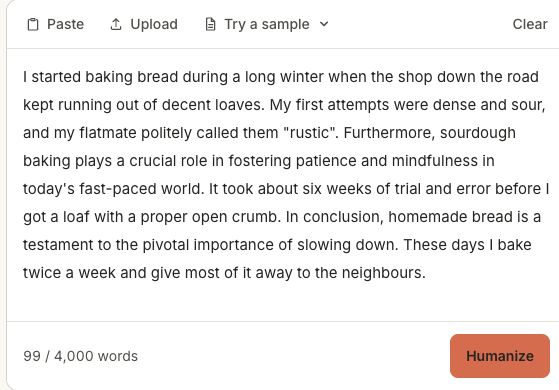
Choose a natural, academic or simpler tone. Compare your original draft with the rewrite, with checks that help preserve numbers, links and citations.

Read your revised text, make your own final edits, and bring your voice to every essay, article, email or assignment.
AI writing tools are common in essays, reports and everyday work. A careful review helps make sure the final text reflects what you actually mean.
Paste your draft, check sentence-level signals, and explore clearer wording before you submit, publish or share it.
No automated check is perfect. Use the tools to find passages worth revisiting, and keep your own judgment in the process.
A score is only a starting point. Review what was flagged, understand the feedback, and decide which passages need a new draft.
Move between AI detection, humanizing and paraphrasing using the tools above. Your draft and results stay in each tool while you explore another.
Try a sample, paste a draft or upload a file. Free rewrites show the first 250 words; free AI detection analyzes the first 250 words. See the current limits before you upgrade.
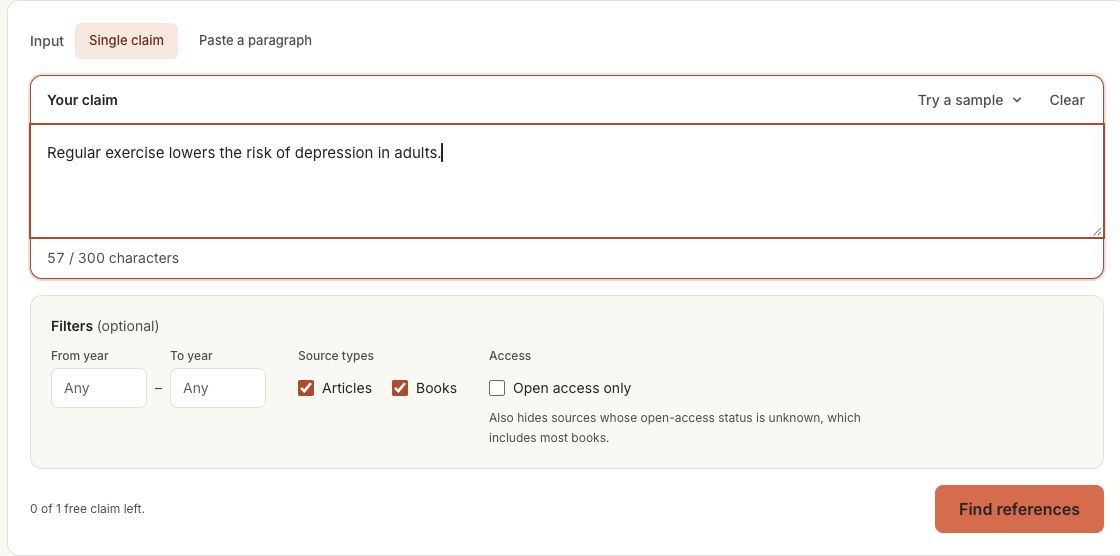
Search published sources that support, challenge or give context to your claim. Review the evidence, then save useful sources to your library when you sign in.
An AI detector analyzes writing patterns to estimate whether text resembles AI-generated or heavily assisted writing. It looks for signals such as predictable phrasing, repetitive structure and generic wording.
Use the result to find places worth reviewing in an essay, paper, report or document. It cannot establish who wrote a piece of text.
Bring the writing you are already working on. Leave with a clearer next step.
Review essays, research drafts, assignments and personal statements. Make your argument clearer while keeping your own thinking at the center.
Revise articles, newsletters and freelance deliverables before sharing them. Choose the tone that fits your reader.
Make resumes, cover letters, reports and workplace messages sound clear, specific and personal.
Paste text or upload supported documents in the writing tools. Review extracted text before running a check or rewrite.
Use word counts and readability to plan revisions. Each tool shows its request limit; Pro unlocks full results within plan allowances.
Two different jobs. One useful writing workflow.
| Your question | AI Detector | AI Humanizer |
|---|---|---|
| What does it do? | Estimates which passages read like AI-generated writing. | Rewrites text with more natural phrasing in your chosen tone. |
| When should I use it? | When you want to review writing signals before sharing a draft. | When a passage needs clearer wording, better flow or a different tone. |
A useful workflow: review the draft, inspect the feedback, then revise the passages that need it.
AI-like writing and source overlap are different questions.
| Your question | AI Detector | Plagiarism Checker |
|---|---|---|
| What does it check? | Patterns that resemble AI-generated or heavily assisted writing. | Passages that match text in Wikipedia and research abstracts. |
| What can’t it prove? | Whether text was copied from an existing source. | Whether a human or an AI wrote the text. |
Original text can sound AI-like; copied text can sound human. Review both signals in context.
No AI detector can guarantee who wrote a text. Results can vary with length, topic, language and editing history.
For academic or professional decisions, combine automated signals with human judgment, the original draft and clear review policies.
Clarify an essay, review a draft and find evidence for the ideas you want to defend.
Use writing signals to start a conversation. Detection results should always be considered alongside human judgment.
Explore different phrasing and make every paragraph feel more intentional and easier to read.
Check a deliverable, refine its tone and review possible source matches before sending it to a client.
Focused tools, useful feedback, and room for your own judgment.
Review writing signals, then use the Humanizer to revise passages that need attention.
Work with essays, papers, reports and longer documents, with clear limits on every tool.
See highlighted sentences, compare rewritten text and follow references back to their sources.
Humanize, paraphrase, detect, count words, find references and check source matches.
Write with HumanizerKit
From the first idea to the final edit, make room for your own voice.
Bring your own ideas and a rough draft. Explore more natural wording, compare versions, and keep the phrases that feel right for your argument.

Turn a claim into a starting point for research. Find published sources, inspect the evidence, and decide what belongs in your paper.

Review sentence-level writing signals in context. Use the feedback to guide a conversation about clarity, voice and the choices behind a draft.

Try a different phrasing or tone for an article, email or client brief. Compare the options and shape the final version in your own voice.

Check word count, review readability and explore possible source matches. Keep your meaning clear as you prepare the version you want to share.

A few useful starting points for your next draft.
Yes. You can try the tools without signing in. Humanizer and Paraphraser share 2 free trial runs with a 250-word result preview. Free AI detection includes 20 daily checks of the first 250 words. Word counting is free and runs on your device.
It examines patterns in text to estimate whether writing resembles AI-generated language. HumanizerKit shows sentence-level signals so you can inspect individual passages rather than relying only on an overall score.
No. False positives and false negatives are possible. Topic, length, language and editing can affect a result. Use detection as a prompt for review, never as the sole basis for an academic or professional decision.
The rewriting tools aim to preserve meaning and check important details such as numbers, links and citations. Always review the result yourself, especially factual statements and quotations.
Yes. The writing tools support .pdf, .docx and .txt uploads. Check the extracted text before submitting it. Scanned documents may not contain extractable text.
Yes. Use them to review your own drafts, explore clearer wording and discover published sources. Follow your institution’s rules on AI assistance and verify every citation.
Your homepage becomes a workspace with recent work and a reference library. Pro features depend on your plan; your current allowances are shown in the workspace.
Yes. All six tools work in your mobile browser. You can switch tools, try samples and review results without installing an app.
Your next draft starts here
Choose a tool, bring your words, and make the next draft your own.